TRANSCRIPT INTELLIGENCE // CHROME EXTENSION
Search inside any YouTube video.
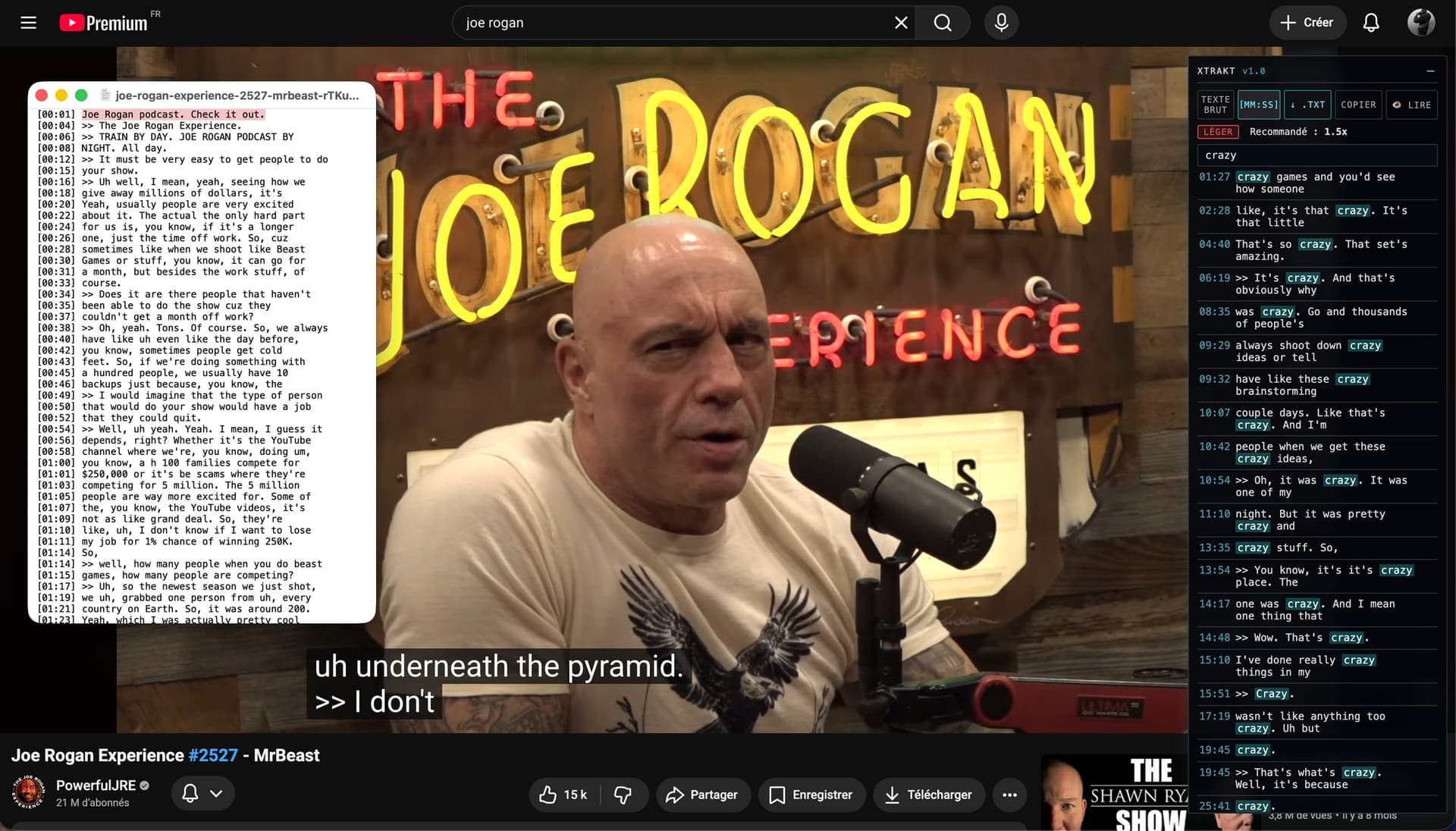
Xtrakt captures the transcript the moment YouTube loads it. Type to search, jump to the exact second, export the text, or read along in a full-screen immersive reader.
- free & open source
- 100%
- free & open source
- languages
- 13
- languages
- permission — storage
- 1
- permission — storage
- trackers
- 0
- trackers
PROTOCOL // QUICK START
Operational in three steps
Open a video
Open any YouTube video that has captions — manual or auto-generated.
Turn subtitles on
Hit the CC button once. Xtrakt intercepts the caption stream the moment YouTube fetches it — no extra network calls, no API keys.
Search, jump, export
Type to filter the transcript live, click a result or a glowing tick on the progress bar, export as .txt, or hit Read.
FIELD DEMO // 01
The whole transcript, one click.
Download the complete transcript as a .txt file — plain prose or [MM:SS]-timestamped — or copy it all to the clipboard. Yours to keep, quote, or feed to an LLM.
FIELD DEMO // 02
Every word, indexed.
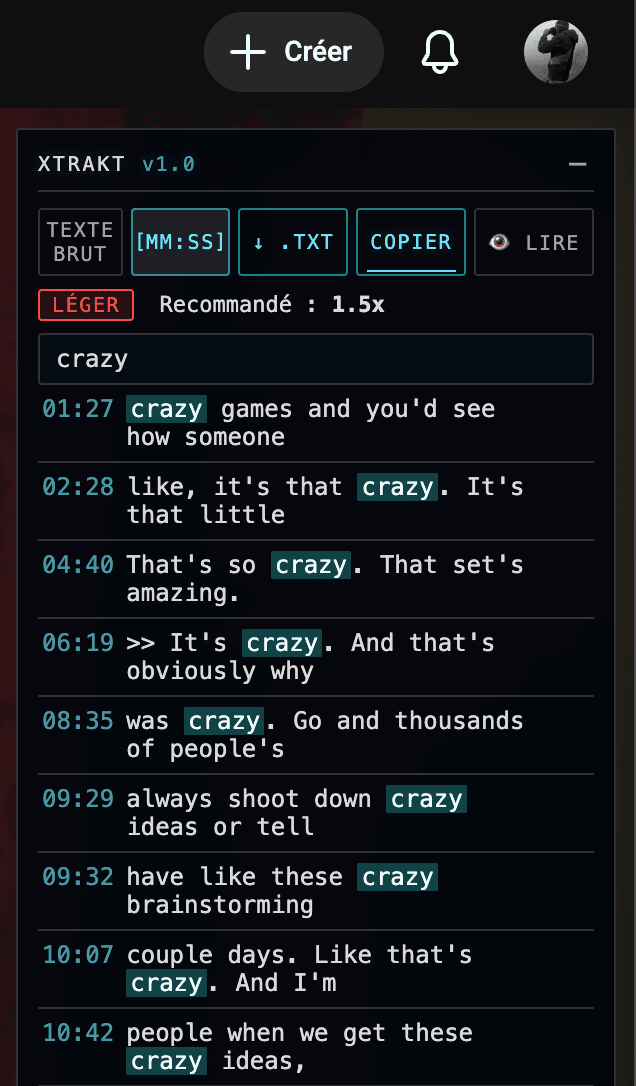
Search inside any YouTube transcript, jump to the exact moment, export it, or read along in an immersive full-screen reader.
The full transcript is captured in the background and filtered live as you type. Every hit becomes a glowing tick on YouTube's native progress bar — click to seek.
FIELD DEMO // 03
Density, measured.
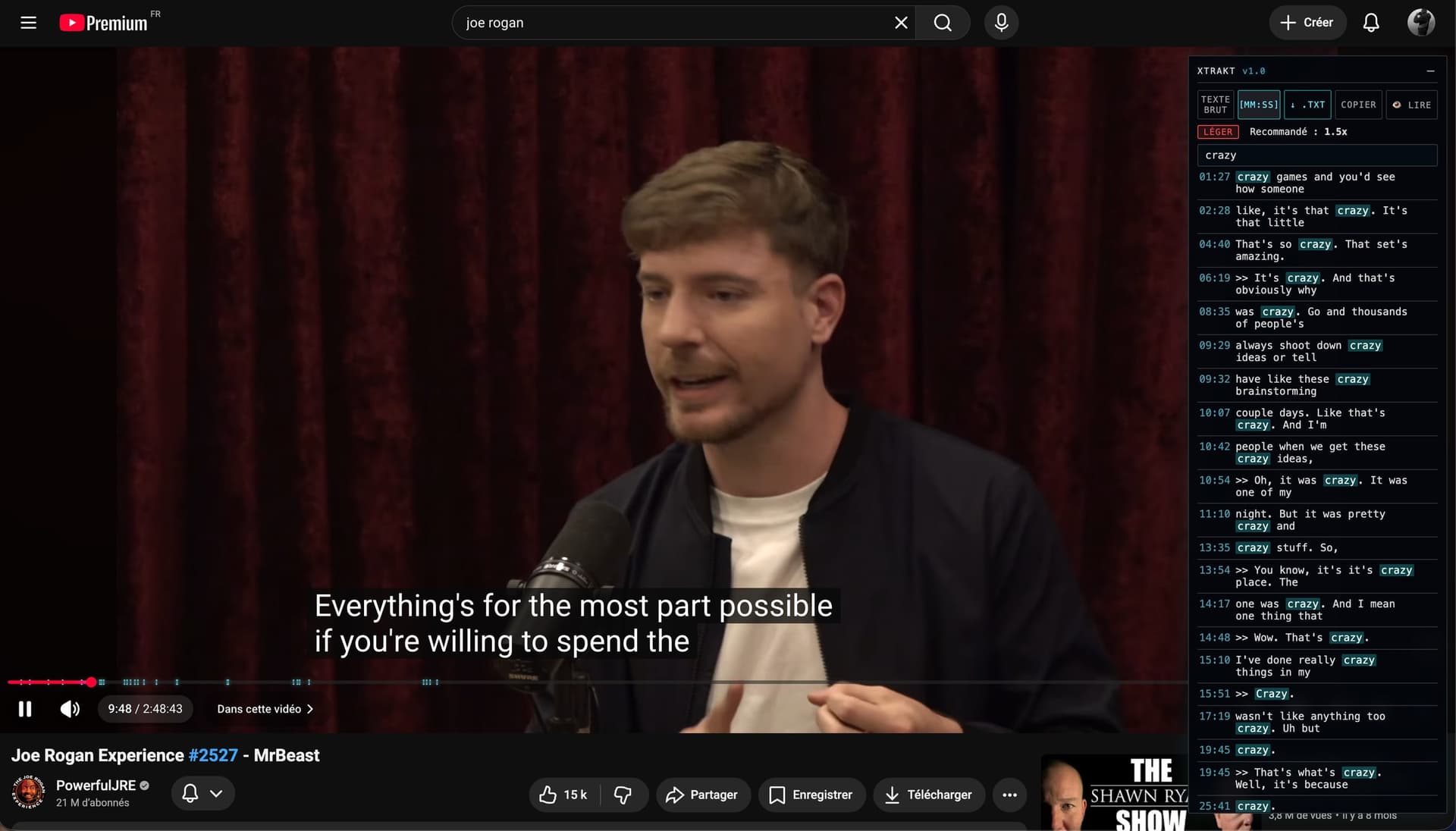
Xtrakt rates the lexical density of every transcript and recommends a playback speed. Dense lecture? Slow down. Light vlog? Speed up.
Search hits on the progress bar
FIELD DEMO // 04
Read along, word by word.
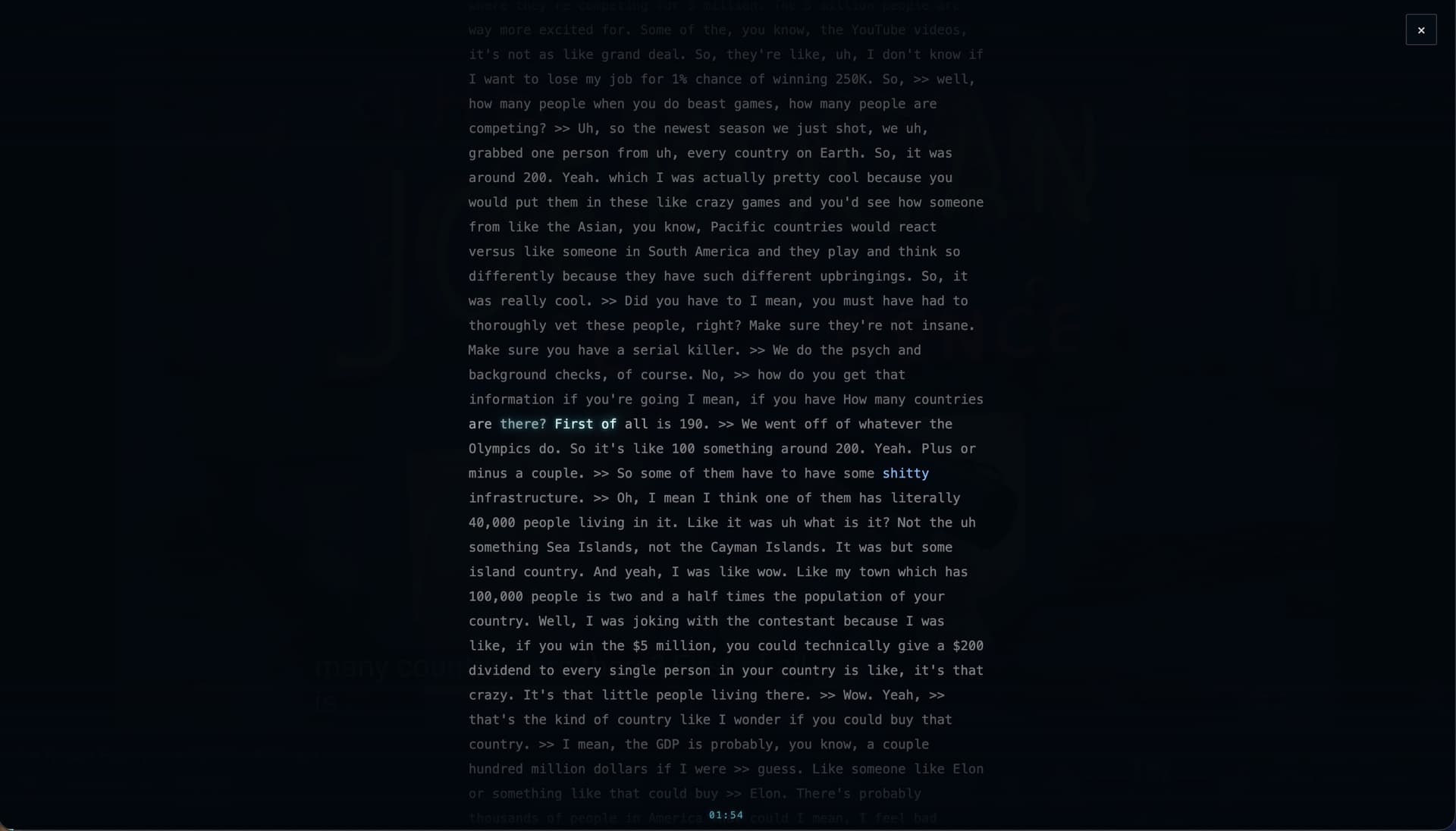
The immersive reader lights up each word in sync with the audio, karaoke-style. Click any word to seek. Scroll freely — auto-follow pauses, then resumes.
CAPABILITIES // DECLASSIFIED
Fifteen capabilities. Zero compromise.
XT-01
Instant search
The full transcript, filtered live as you type.
XT-02
Progress-bar markers
Every hit, a glowing tick on the timeline.
XT-14
Auto chapters
The video's structure, even when YouTube has none.
XT-03
Immersive reader
Full-screen, karaoke-style read-along.
XT-04
Export & copy
The transcript is yours. Take it.
XT-15
Quote mode
A sentence heard becomes a quote sourced.
XT-10
AI digest
The best of the video, zipped for your AI.
XT-12
Frame capture
Freeze the exact frame. Keep it.
XT-05
Shareable moments
Deep-link the exact second.
XT-06
Density badge
Know how dense a video is before you commit.
XT-13
Audience curve
See what the crowd rewatches.
XT-11
SmartSkip
Skip what the audience skips.
XT-07
Keyboard-first
One shortcut away, from anywhere on the page.
XT-08
Minimal footprint
A tiny dock button until you need it.
XT-09
Privacy-first
Local processing. Nothing phones home.
PRIVATE BY DESIGN
Your data never leaves the browser.
Xtrakt intercepts YouTube's own caption stream and processes everything locally. There is nothing to sign up for, nothing to configure, and nothing phoning home.
- A single permission: storage
- No API keys, no external calls
- No analytics, no tracking
- MIT-licensed, auditable source
Ready to search inside video?
Install Xtrakt from the Chrome Web Store. Free, forever.
Add to ChromeThen press Cmd/Ctrl + Shift + F